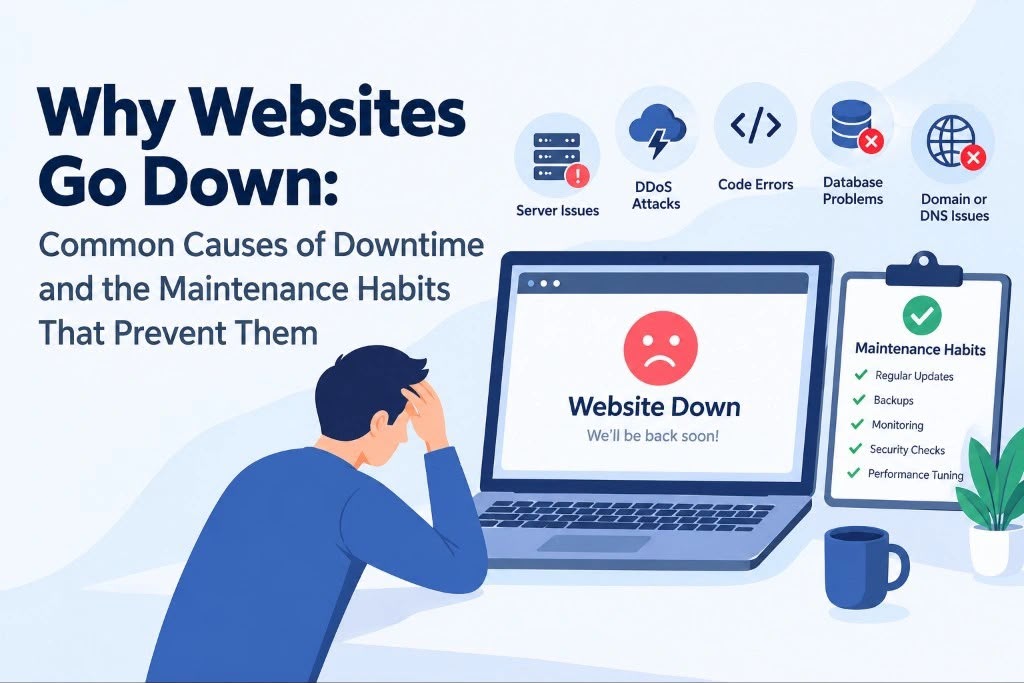
Why Websites Go Down: Common Causes of Downtime and the Maintenance Habits That Prevent Them
Most website outages aren’t caused by dramatic cyberattacks or massive data center failures. They come from ordinary problems: an expired SSL certificate, a plugin update that breaks a page, a full server disk, or a domain renewal reminder sent to an inbox nobody checks.
That’s good news, because many of these problems can be prevented with consistent maintenance. Prevention matters. According to ITIC’s 2024 Hourly Cost of Downtime survey, more than 90% of mid-size and large enterprises reported that an hour of downtime cost them over $300,000. Smaller businesses may face lower costs, but even a short outage can mean lost sales, missed leads, and frustrated customers.
Search visibility is at stake, too. Google’s documentation explains that 5xx server errors can cause its crawlers to slow down, and URLs may eventually be removed from the index if those errors persist.
This guide covers eight common causes of website downtime, the maintenance habits that help prevent them, and what website owners and agencies can do to reduce the risk.
Key takeaways
- Many outages stem from preventable issues, including failed updates, expired certificates, hosting limits, and security problems.
- Downtime can affect revenue, customer trust, and search visibility.
- Uptime monitoring alerts teams when a site becomes unavailable, while routine maintenance helps reduce the likelihood of failures.
- Weekly checks, monthly maintenance, and quarterly reviews can catch problems before they become outages.
- Agencies managing multiple websites need documented processes, clear ownership, and a reliable escalation plan.
The 8 most common causes of website downtime
1. Expired SSL certificates
SSL/TLS certificates help browsers establish secure connections with websites. When a certificate expires, visitors may see a security warning that discourages them from continuing.
Automated renewal reduces the risk, but it isn’t a guarantee. A failed renewal, incorrect server configuration, or outdated payment details can still cause problems. Website owners should monitor certificate expiry dates and confirm that renewals complete successfully.
2. Expired domain names
Domain renewals are easy to overlook, particularly when payment cards expire or renewal notifications go to an unattended email address.
When a domain expires, the website may become inaccessible, and business email can be affected as well. Keep domain registration details current, enable auto-renewal, and make sure more than one responsible person receives renewal notifications.
3. Failed plugin, theme, or core updates
Content management systems such as WordPress depend on themes, plugins, and core software working together. An update can introduce a compatibility issue that triggers a fatal error, breaks a key function, or disrupts the site’s layout.
Updating everything directly on a live website without a backup increases the risk. Test significant changes on a staging environment first, and keep a rollback plan ready.
For example, major WordPress releases can introduce changes that affect existing site configurations. Teams preparing for a platform upgrade can review WordPress 7.0’s real-time collaboration features and what they mean for agencies as part of their upgrade planning. Compatibility checks and staging tests help teams identify potential issues before changes reach production.
4. Hosting resource limits
Every hosting environment has limits on resources such as CPU, memory, storage, and concurrent connections. When a website approaches those limits, pages may load slowly, requests may fail, or the server may become unavailable.
A full disk, inefficient database query, resource-intensive plugin, or poorly optimized script can contribute to the problem. Regularly review server metrics, remove unnecessary files, optimize database operations, and assess whether the hosting plan still matches the site’s needs.
5. Unexpected traffic spikes
A successful marketing campaign, a viral post, or a mention on a high-traffic website can send far more visitors than a server is prepared to handle.
Traffic spikes aren’t necessarily a sign of poor hosting. They can reveal capacity limits that weren’t obvious under normal conditions. Before major campaigns, estimate expected traffic, review hosting capacity, and consider caching or a content delivery network where appropriate.
6. Security incidents
Malware, brute-force login attempts, and distributed denial-of-service attacks can slow down a website, compromise its content, or make it unavailable.
Outdated software, weak credentials, excessive user permissions, and missing security controls increase exposure. Keep software patched, enforce strong authentication, restrict administrative access, and maintain backups that can be restored if a security incident occurs.
Security monitoring can help identify suspicious activity, but it should form part of a wider prevention and recovery plan.
7. DNS configuration problems
Domain Name System (DNS) records direct visitors to the appropriate website infrastructure. Incorrect records, failed changes during a migration, or a DNS provider outage can make a website unreachable even when the server itself is running.
Before changing DNS settings, record the existing configuration and confirm the intended values. After a migration, test the site across relevant networks and verify that both the main domain and important subdomains resolve correctly.
8. Human error during website changes
A small change can have a significant impact when it’s made directly on a live site. Editing configuration files, changing permissions, modifying database settings, or migrating hosting without a rollback plan can introduce unexpected failures.
Use a repeatable change process: document the intended change, test it where possible, take a backup, and verify the result after deployment. For high-risk changes, schedule a maintenance window and identify who can reverse the change if something goes wrong.
The maintenance habits that prevent most outages
Uptime monitoring and website maintenance serve different purposes. Monitoring provides an early warning when a site becomes unavailable or its response changes. Maintenance helps reduce the likelihood of problems in the first place.
A reliable process combines both.
Weekly checks
- Review uptime and response-time reports for unusual errors or slowdowns.
- Confirm that automated backups completed successfully.
- Review security alerts and suspicious login activity.
- Investigate recurring availability problems instead of repeatedly dismissing alerts.
Monthly checks
- Review plugin, theme, and core updates, testing significant changes on staging before deploying them.
- Test whether backups can actually be restored.
- Check disk space, database size, and server resource usage.
- Remove unused plugins, themes, and accounts.
- Test important pages and forms to confirm that key user journeys still work.
- Run performance checks on high-traffic and conversion-focused pages.
A backup that has never been restored is an untested recovery plan. Periodic restore tests help confirm that the files, database, and recovery procedure are usable when needed.
Quarterly checks
- Review domain and SSL certificate expiry dates.
- Confirm that auto-renewal, payment details, and notification contacts are current.
- Compare hosting capacity with traffic trends and upcoming campaigns.
- Audit administrative permissions and remove access that is no longer needed.
- Review security settings and the process for responding to an outage.
Before any major change
- Take a verified backup.
- Test the change on a staging environment.
- Schedule deployment during a suitable low-traffic window.
- Document the steps needed to roll back.
- Verify availability and important website functions after deployment.
These tasks should be part of the site’s ongoing care plan, not work that happens only when something breaks.
What to do when downtime is planned
Sometimes an outage is unavoidable, such as during a hosting migration or major infrastructure upgrade. The goal is to keep the interruption short and communicate clearly.
Schedule maintenance during a period of lower traffic, notify affected users where appropriate, and prepare a recovery plan before starting.
From a search perspective, Google’s guidance recommends returning a temporary 503 Service Unavailable status for planned maintenance. This signals that the outage is temporary. Avoid returning a normal 200 status for a maintenance page or leaving the 503 response in place longer than necessary, because extended server errors can affect crawling and indexing.
After the work is complete, check that the site returns its normal status code, key pages load correctly, and monitoring confirms recovery.
Expert insight: Why maintenance needs clear ownership
A large share of avoidable website emergencies begins with small tasks that were missed: an update applied without testing, a backup that cannot be restored, or a certificate that expired unnoticed.
At Mavlers Agency, website maintenance is treated as an ongoing delivery responsibility, with an emphasis on tested updates, reliable backups, and clear incident ownership.
As Nital Shah, COO, explains:
“Most of the outages we’re called in to fix were preventable. An update applied straight to the live site, a backup nobody had tested, a certificate that quietly expired. Maintenance isn’t exciting, but a simple routine, plus monitoring that alerts you within minutes, saves businesses far more than it costs.”
The practical lesson is to treat maintenance as a scheduled, documented process with clear ownership. Monitoring should complement that process by alerting the responsible person when availability or response times change, including when the cause lies outside the website itself, such as a hosting or DNS issue.
For agencies managing client websites
For agencies responsible for dozens of client websites, maintenance quickly becomes an operational challenge. Every site has its own hosting environment, plugins, renewal dates, access permissions, and performance requirements. Missing one critical task can affect both the client’s business and the agency’s relationship with them.
Agencies generally choose between building an internal maintenance team, using management tools and structured care plans, or working with a specialist delivery partner.
Digital agencies partner with Mavlers Agency to deliver specialized services under their own brand while retaining ownership of client relationships. Agencies across the US, UK, Australia, and other global markets also rely on offshore digital marketing and web development delivery to support their operations.
For agencies that need additional technical delivery capacity, white-label WordPress development services can support work on client websites under the agency’s own brand.
Whatever the delivery model, the fundamentals remain the same: assign a clear owner to each task, document maintenance procedures, monitor every site, and establish an escalation path for incidents that require immediate attention.
Frequently asked questions
What is the most common cause of website downtime?
Common causes include failed software updates, hosting resource limits, expired SSL certificates or domains, security incidents, and configuration errors. The most frequent cause varies by website and hosting environment, but regular maintenance can reduce many preventable failures.
Does website downtime affect SEO?
Short outages don’t necessarily cause lasting ranking changes. However, persistent 5xx server errors can cause Google to slow crawling, and URLs may eventually be dropped from the index if errors continue. Frequent or prolonged outages therefore deserve prompt attention.
How often should I update my website?
Review updates at least monthly, and apply important security fixes as soon as practical. Test significant updates on staging first and take a backup before deploying changes.
What status code should a website use for planned maintenance?
A temporary 503 Service Unavailable response is generally appropriate. It tells search engines that the unavailability is temporary. Keep the maintenance period as short as possible and verify that the site returns to normal afterwards.
Do I need uptime monitoring if I have a reliable hosting provider?
Yes. Even reliable providers can experience outages, and problems can originate from DNS, SSL, application errors, or other services outside the hosting server. Independent monitoring can help detect availability issues promptly.
How can agencies manage maintenance across multiple client websites?
Use a centralized task schedule, maintain an inventory of domains and certificates, automate monitoring and backups where appropriate, and document who is responsible for each site. Agencies should also test recovery procedures and define when incidents need to be escalated.
The bottom line
Website downtime is rarely something to ignore as bad luck. Many incidents begin with small maintenance tasks that slipped through the cracks. Regular updates, tested backups, renewal checks, capacity reviews, and security practices can prevent a substantial number of avoidable problems.
Monitoring helps catch the failures that still occur, giving teams an opportunity to respond before an issue causes more disruption.
Start by checking your SSL and domain expiry dates, confirming that your latest backup can be restored, and verifying that someone will be alerted if your website becomes unavailable.

- The Future of Web & App Development – Are You Prepared?

- Why Websites Go Down: Common Causes of Downtime and the Maintenance Habits That Prevent Them
- How to Choose Web Hosting for a Growing Business Website?
- How SaaS Companies Can Build Online Authority Through Content and Backlinks
- Best Practices and Tips for Designing Educational Websites